250 folders often price out between $500 and $1,200 in Toronto, and most standard jobs ship in 5 to 10 business days. For teams comparing presentation folder printing, that spend usually makes sense when a proposal, onboarding pack, or listing kit needs to hold loose sheets and make a better first impression than a stapled handout.
Last updated: August 2026
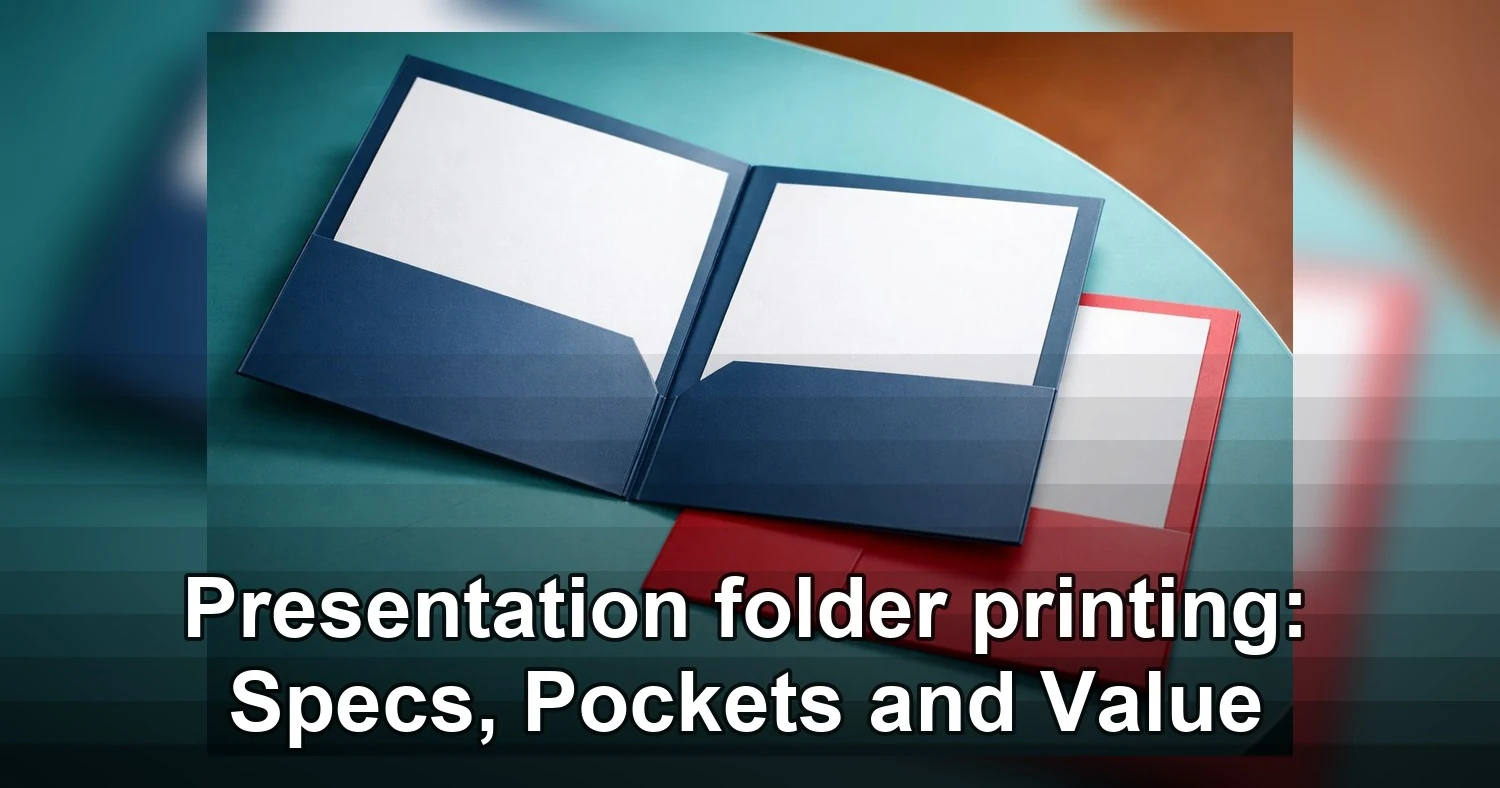
For B2B sales reps, law and accounting firms, financial advisors, consultants, and real estate brokerages, the usual choice is a custom two-pocket folder on 14 pt or 16 pt stock with business card slits, sized for letter documents and built around the inserts you hand over in meetings. This guide covers the specs, pocket layouts, pricing, and proofing checks that affect usefulness, cost, and turnaround. If you want to compare a common build first, start with these full-color presentation folders. Standard commercial options such as reinforced edges, card slits, and coated stocks are widely offered across the market, as shown in these presentation folder printing specs.
Where presentation folder printing fits in a B2B sales kit
Presentation folder printing earns its keep when you need a client package to stay organized, branded, and easy to review after the meeting. In B2B settings, the folder is not the message itself. Its job is to control how the message is received.
That matters most when several documents need to travel together, such as a proposal, fee sheet, case studies, agreement, business card, and follow-up insert. Without a folder, those pages feel temporary. With the right folder, they feel like one complete package.
Where folders add real value
Sales teams use them for pitch meetings and leave-behind kits. Law firms use them for intake documents, engagement letters, and matter summaries. Accountants and financial advisors use them for onboarding packs, tax organizers, policy summaries, and annual review materials. Consultants and brokerages use them for proposals, listing packages, market reports, and contract sets.
In each case, the folder helps answer three practical questions:
- What should the client read first?
- Which documents are reference items versus action items?
- How will this pack look once it leaves your office or boardroom?
What it does in proposals and meetings
For proposals, a folder creates sequence. The inside panel can introduce the opportunity, the right pocket can hold the main proposal, and the left pocket can hold supporting sheets such as timelines, bios, or case studies. In client meetings across Toronto and other B2B markets, that structure keeps the conversation moving instead of forcing people to sort through loose pages.
It also keeps brand presentation consistent. A polished kit built with full-color presentation folders feels deliberate in a way a stapled stack does not, especially when multiple stakeholders review it later.
Why it still matters after the meeting
The strongest use case is the leave-behind. A good folder protects the documents, keeps your card attached, and makes follow-up easier. That is why custom pocket folders are still common in corporate presentation kits even when a digital copy is also sent. The folder becomes the physical version of your sales process: organized, easy to follow, and hard to misplace.
Specs that matter before you order
The specs that matter most are size, stock, finish, and pocket construction because those choices determine how the folder feels in hand, how many sheets it holds, and whether it survives repeated handling. Before ordering presentation folder printing, match the folder build to the document set, not just the logo.
Size, capacity, and pocket build
Most B2B orders start with a standard 9 x 12 format for letter-size pages, because standard 9 x 12 folders with 4-inch pockets are a common presentation format. That works well for proposals, one-pagers, and onboarding sheets. If you carry legal-size documents, ask for a larger format or a design that does not leave tabs and page edges exposed.
Pocket depth affects both appearance and function. A 3-inch or 4-inch pocket suits thinner kits. If you expect 20 to 40 sheets, ask about scored or expandable pockets so the stack sits flat instead of bowing the folder open. Reinforced edges or glued pocket strength matter for heavier packs used by law offices, accountants, and brokerages.
Stock and coating
Paper stock changes the first impression right away. A lighter folder can work for event handouts or one-meeting leave-behinds. A heavier 14 pt or 16 pt cover stock usually feels more credible for sales proposal folders and client onboarding packs. If you want a more premium look, soft-touch or matte lamination gives a more restrained corporate feel than high gloss.
Finish also affects usability. Gloss is strong for image-heavy covers. Matte is easier to read under office lighting. Uncoated areas are worth considering if staff need to write file numbers, meeting dates, or advisor names directly on the folder.
Small options that prevent big annoyances
- Business card slits should match how your team actually distributes cards. Horizontal slits on the right pocket are most common.
- Three-prong fasteners help when signed forms or legal documents must stay in order.
- Double scores at the spine improve capacity for thicker corporate presentation kits.
- If timing is tight for custom folders Toronto orders, ask whether the size, stock, and coating are standard house materials or special-order items.
- For budget-sensitive runs, an economy pocket folder can still look professional if the artwork is clean and the sheet count is modest.
| Use case | Recommended size and layout | Stock and finish | Capacity target | Best for |
|---|---|---|---|---|
| Sales leave-behind with brochure, one-pager, and card | 9 x 12, two pockets, 3-inch pockets, card slits | 12 pt to 14 pt, gloss or satin | Up to 10 sheets | High-volume meetings, trade visits, lighter budgets |
| Formal proposal pack | 9 x 12, two pockets, 4-inch pockets, card slits | 14 pt to 16 pt, matte or soft-touch | 10 to 25 sheets | Consultants, agencies, B2B sales teams |
| Legal, tax, or onboarding documents that must stay sequenced | 9 x 12 or legal-size, pocket plus three-prong fastener | 14 pt to 16 pt, matte, optional uncoated write-on area | 15 to 35 sheets | Law firms, accountants, advisors |
| Premium review kit or executive board package | 9 x 12, reinforced pockets, double score spine | 16 pt to 18 pt, soft-touch or laminated matte | 20 to 40 sheets | Financial reviews, investor meetings, high-value accounts |
| Real estate or brokerage information pack | 9 x 12, two pockets, one vertical pocket for inserts if needed | 14 pt, satin or matte | 10 to 20 sheets plus cards | Listing presentations, buyer packages, market updates |
Pocket layouts and insert strategy
The best folder layout is the one that makes the next step obvious. A presentation folder should guide the reader through the pack in seconds, not ask them to sort and guess.
Two-pocket folders
Two-pocket layouts are the default for a reason. They are simple, familiar, and work for most sales proposal folders. Use the right pocket for the primary document, usually the proposal, engagement summary, or listing presentation. Use the left pocket for supporting material such as team bios, case studies, rate sheets, or a checklist.
If the pack includes a business card, place it where the recipient will naturally find it during follow-up, usually on the right pocket. A QR code works best on the inside panel or on a small insert, where it supports the package instead of cluttering the cover.
Three-prong folders
Three-prong layouts are best when page order must not change. That makes them useful for contracts, signed forms, policy documents, tax organizers, and legal onboarding packs. Put the fixed-sequence documents under the prongs, then use a pocket for items that may change often, such as fee schedules, contact sheets, or return instructions.
This format is especially practical for law firms and accounting offices because it cuts down on shuffling and missing pages.
Hybrid layouts
Hybrid folders combine pockets with fasteners or extra insert features. They suit thicker corporate presentation kits where one part is reference material and another part is action-oriented. For example:
- Proposal under the right pocket
- Rate sheet or market summary in the left pocket
- Contract or signed forms under prongs
- Business card in pocket slits
- QR code linking to a video intro, portal, or calendar booking page on the inside panel
The main mistake is overstuffing. If the folder holds too many mixed-size inserts, it feels crowded and cheap. Keep one document hierarchy, limit duplicate pages, and avoid placing more than one start-here piece in the pack. The folder should help the client act, not slow them down.

When presentation folders are worth the spend
Presentation folder printing is worth paying for when the package itself affects trust, deal size, or how long your material stays in circulation. If the folder helps the buyer keep, review, and share your documents, it can improve close rates in a way a loose handout usually does not.
Best fit for higher-value meetings
Folders earn their keep when the sale is consultative and the buyer leaves with multiple documents. That is common with law firms, accounting firms, wealth advisors, commercial real estate teams, and consultants presenting scopes, fee schedules, disclosures, or timelines.
- Proposals above a few thousand dollars where presentation affects perceived competence
- Board meetings, investor reviews, client onboarding, and referral partner meetings
- Sales proposal folders that carry contracts, case studies, team bios, and pricing in one place
- Corporate presentation kits used by multiple reps who need a consistent leave-behind
In these situations, a clean folder signals that your process is organized. It also reduces document loss after the meeting. Buyers are more likely to bring one branded package back to their desk than a stack of separate sheets.
How folders help trust and follow-up
Folders are especially useful when more than one person reviews the decision. A partner, spouse, finance lead, or office manager can flip through the package later without asking your rep to resend everything. That follow-up value is real, especially when your insert mix includes testimonials, pricing summaries, and next-step sheets.
Brand consistency matters here. If your folder design matches your positioning and audience expectations, it supports the same message as your deck and website. That is why many firms tie folder design back to their brand personas rather than treating it as just a printed shell.
When a simpler option is enough
Not every meeting needs a premium folder. If you are handing out a one-page rate card, a simple brochure, or a short event sheet, a basic handout or PDF follow-up is often enough. The same goes for high-volume prospecting where most pieces are discarded quickly.
For tighter budgets, an economy pocket folder can still create order without paying for heavier stock or special finishing. And if the information changes weekly, a digital send may be smarter than printing inventory that goes stale.
A practical rule is simple: use folders when the material needs to survive beyond the meeting, travel between reviewers, or justify a premium service. Skip them when the content is short-lived, transactional, or easily handled in a single-page leave-behind.
Pricing and turnaround factors in Canada and Toronto
The biggest drivers of price and lead time are quantity, stock, print coverage, finishing, proofing, and delivery distance. For custom folders Toronto buyers order regularly, the cheapest quote is not always the lowest landed cost once freight, setup, and rush charges are added.
What changes the unit price
- Quantity: 250 folders will carry more setup cost per piece than 1,000 or 2,500. Unit pricing usually improves fast once you move beyond very short runs.
- Stock: Heavier cover stocks, premium uncoated sheets, and specialty textures cost more than standard coated cover.
- Ink coverage: Full-bleed backgrounds, dark coverage, and inside-and-outside printing cost more than a logo-only exterior.
- Construction: Business card slits, glued pockets, reinforced edges, and custom dies add production steps.
- Finishing: Matte or gloss coating is common. Soft-touch, foil, embossing, and spot UV increase both cost and handling time. Printers offering these options show how foil, embossing, and specialty coatings require extra finishing steps, which is why they are priced above a basic run.
If you are comparing estimates for full-color process folders, confirm whether the quote includes printing on both sides, pocket glue, scoring, and final packing. Those line items are where two quotes that look similar can separate quickly.
What changes the turnaround
Standard production is usually faster when the folder is a common size, printed on house stock, and uses no specialty finish. Lead time stretches when any of the following are added:
- Custom die lines or unusual pocket shapes
- Foil, emboss, laminate, or spot UV
- Physical press proofs or multiple proof rounds
- Split shipments to several offices
- Very large quantities that need palletizing
In Toronto, same-week jobs are possible, but rush production usually means fewer stock choices and a higher spoilage risk if artwork is not clean. For pocket folder printing Canada-wide, freight also matters. Shipping from a GTA plant to Ottawa, Montreal, Calgary, or Vancouver can add days, especially if the order ships flat and requires cartons or skids.
How to budget more accurately
When requesting quotes, specify the final quantity, sheet size, print sides, stock preference, finish, and delivery postal code. Ask whether the price includes:
- Prepress and file check
- PDF proof or hard proof
- Pocket assembly and gluing
- Boxing and freight
- Rush fees if the in-hands date is tight
The most cost-effective orders usually come from locking the design early, using a standard template, and printing enough to spread setup cost without ordering more than your team will use before branding or pricing changes.
Artwork and proofing checks that prevent expensive reprints
Most expensive folder reprints come from avoidable file issues, not from the press. A production-ready file should account for trim, folds, glue areas, and how artwork behaves once the folder is assembled.
File setup checks before you export
- Bleed: Extend backgrounds and images at least 0.125 inch beyond trim on all outer edges.
- Safe zone: Keep type, logos, and key details at least 0.125 to 0.25 inch inside the trim and fold lines.
- Resolution: Use 300 dpi images at final size. Web graphics pulled from a site are often too small.
- Colour mode: Build the file in CMYK, not RGB, so blues, greens, and dark solids do not shift unexpectedly.
- Fonts: Outline fonts or package them correctly if your printer requests native files.
Folder-specific trouble spots
Keep logos and fine text away from spines, scores, and pocket glue areas. A logo that looks centered on a flat layout can feel crowded once the fold rolls in. Thin rules near folds can also crack or look uneven on heavier stock.
For barcodes and QR codes, place them on flat, easy-to-scan panels, not across folds or near pocket edges. Leave quiet space around the code and test scan the final PDF on multiple phones before release. If a QR code points to a campaign page, verify the URL one more time during proofing.
Proof approval steps
- Review the die line layer and confirm no critical art sits in trim, score, or glue zones.
- Check spelling, phone numbers, URLs, and names against the latest approved copy.
- Print the PDF at 100% and fold a mockup if the inside layout is complex.
- Confirm quantity, stock, finish, and ship-to address on the proof approval, not just the artwork.
- Get one final sign-off from the owner of the content, not only the designer.
If your team reorders often, save the approved dieline and final packaged file so future versions can be updated without rebuilding the job from scratch.
Common mistakes and a simple checklist before you approve
The fastest way to waste money on presentation folder printing is to approve a folder that looks fine on screen but feels awkward, flimsy, or impractical in the client’s hands. For B2B teams, the most expensive mistake is not a typo. It is ordering folders that never get used because they do not hold the actual proposal set, rate sheet, or presentation inserts properly.
Mistakes that make folders look cheap or go unused
- Choosing stock that is too light for the job. Many commercial printers offer 14 pt and 16 pt presentation folder stocks with coating and lamination options, so a thin uncoated sheet can feel underbuilt beside a premium proposal package.
- Using oversized logos, tiny type, or full-bleed dark solids that show scuffing fast.
- Picking a pocket layout that does not fit the actual contents. A legal firm may need room for a multi-page engagement package, while a brokerage may need one pocket for feature sheets and another for disclosures.
- Adding every finish at once. Foil, embossing, spot UV, and soft-touch can look premium, but too many effects can push a folder into trade-show giveaway territory.
- Defaulting to an economy pocket folder for high-value sales proposal folders where first impression matters.
- Ignoring card-slit placement, especially if different staff use horizontal and vertical business cards.
Simple approval checklist before sign-off
- Confirm finished size, spine or capacity, and pocket depth against the real insert stack.
- Check whether the finish suits the brand, such as matte for finance or a full color process presentation folder for image-led presentations.
- Review bleed, safe margins, folds, slits, and any glued areas on the final proof.
- Test readability of small text, especially contact details, disclaimers, and office locations.
- Verify quantity, turnaround, and delivery timing if the folders are needed for a Toronto pitch, board meeting, or closing package.
- Approve one final version only after sales, admin, and the decision-maker have checked usability, not just appearance.
Before you request a quote, list the exact inserts, total sheet count, preferred pocket layout, card slit or prong needs, and the deadline for proof approval and delivery. If your folder has to carry a proposal and still feel polished in a boardroom or client meeting, ask your printer for a template, a firm price based on quantity and stock, and a recommendation on capacity before you approve the artwork.
Related Products and Services
If you are planning a similar project, these related options may help.
Helpful External Resources
These sources provide supporting background and additional context.
- Folders Presentation Folders Printing
- Presentation Folders Printing
- A4 Presentation Folders Printing
-
What paper stock is best for presentation folders?
For most presentation folder printing, 14 pt or 16 pt coated stock is a solid choice because it feels sturdy and prints cleanly. If you want a more premium sales folder, consider matte, soft-touch, or laminated finishes. For heavier inserts or frequent handling, ask about reinforced pockets or a heavier cover stock.
-
How many pockets or prongs do I need for a sales proposal folder?
Most sales proposal folders use two pockets, which is enough for brochures, contracts, and business cards. Add prongs if you need to keep punched pages in order or hold signed forms securely. If the folder is mainly a leave-behind, two pockets is usually the best balance of cost and function.
-
When is presentation folder printing worth the cost?
It is worth it when the folder helps you present a higher-value offer, stay organized in a meeting, or make the package easier to keep and review later. If you regularly hand out pricing sheets, contracts, or branded collateral, a custom folder can make the materials feel more complete and professional. For short, low-value handouts, a simpler option may be enough.
-
What affects turnaround time for custom folders in Canada?
Turnaround depends on stock choice, finishing, quantity, proof approval, and whether the folder needs pockets, prongs, or special die cuts. Standard presentation folder printing is usually faster on common sizes and stocks, while custom shapes, heavy coverage, and premium coatings can add time. Shipping location also matters, especially for cross-country delivery.
-
What artwork files should I prepare before ordering?
Use a print-ready PDF with bleed, safe margins, and images at high resolution. Keep fonts embedded or outlined, and make sure the layout matches the printer’s dieline exactly. If your folder includes pockets, slits, or prongs, request the template before you export the final file.
Get a Free Quote Today
Contact us at +1-(416) 288-8661 or Email us at info@Brandingcentres.com and let's get started.