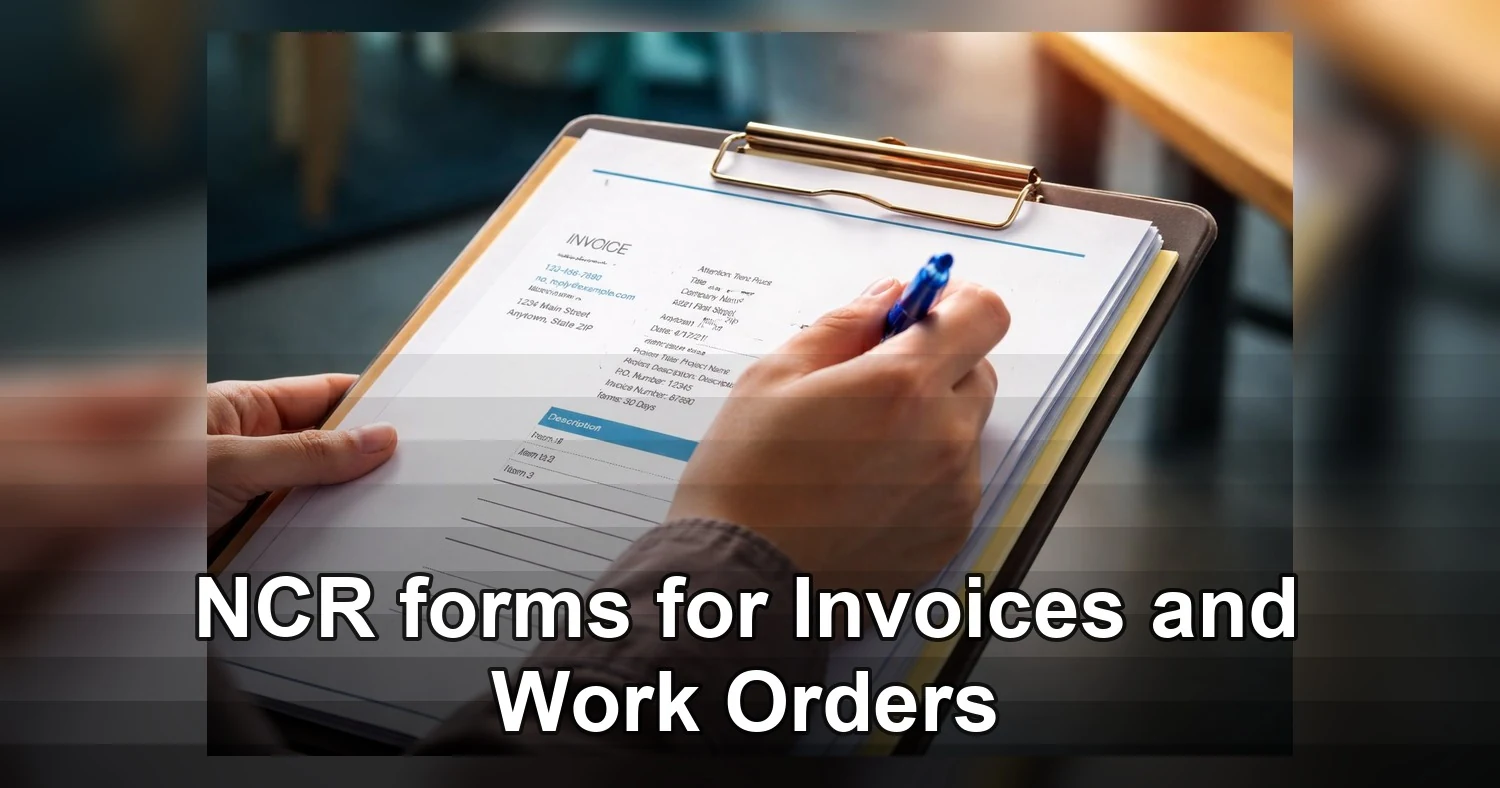
For many service businesses, NCR forms still solve a problem software cannot handle fast enough: creating a signed paper record on the spot, in a truck, at a counter, or on a noisy job site. In Etobicoke, Mississauga, and Brampton, they are still used every day for invoices, work orders, estimates, delivery slips, service tickets, and proof of completion. A good NCR set gives the customer a clean copy, gives the office a record, and keeps the crew moving.
Last updated: August 2026

NCR means No Carbon Required. Instead of old carbon sheets between pages, the paper is coated so writing pressure transfers information to the sheets below. That makes carbonless forms quick, neat, and practical when a tablet battery is low, a signal is weak, or a customer wants a printed copy before the van pulls away. For businesses that need a custom layout, these custom NCR forms are a solid place to start.
What are NCR forms and how do they work?
NCR forms are multi-part paper forms that copy handwritten or printed information from the top sheet to the sheets underneath. They are built for fast, in-person paperwork where the same details need to reach more than one person without retyping, scanning, or photocopying on the spot. For field teams, that speed matters more than many businesses expect.
The coating on each page reacts to pressure. When a technician writes with a pen, the top sheet transfers the image to the next sheet, and sometimes to a third sheet as well. One completed form can do several jobs at once. The customer can keep a copy, the technician can keep a copy, and the office can file a copy for billing or records.
Where NCR forms fit best
NCR forms are especially useful when a job is completed away from the office. They work well for:
- Service calls that need signatures before the crew leaves
- Invoices that must be handed to a customer immediately
- Work orders with parts, labour, and approval notes
- Delivery records that need proof of receipt or shortages
- Estimates and authorizations where the customer approves extra work on site
They also help when paperwork has to move through a business in stages. A front counter can use one copy, a technician can keep another, and accounting can receive the third. That cuts down on missing information and helps avoid delays when a job is ready to bill.
Why businesses still choose paper copies
Digital tools are useful, but they are not always the fastest choice on a roof, in a basement, or at a loading dock. NCR forms do not need login access, charging cables, or a stable connection. They are simple to train on and hard to misuse. When a customer wants a physical signature and a printed copy, NCR forms make the exchange feel immediate and professional.
NCR forms vs digital invoicing and plain paper
The best option depends on how your team works. NCR forms are often the best fit for immediate field paperwork, digital invoicing is strongest for office follow-up, and plain duplicate pads are usually only a temporary or budget-driven choice. Many businesses use a hybrid process, which keeps the speed of paper on site and the convenience of software later.
| Option | Best for | Strengths | Limitations |
|---|---|---|---|
| NCR forms | On-site invoices, work orders, delivery slips, approvals | Instant copies, no battery or signal needed, easy signatures, professional presentation | Manual filing unless entered later, harder to edit after writing |
| Digital invoicing | Scheduled billing, searchable records, recurring service | Fast email delivery, payment links, software integration, easy storage | Depends on devices, charging, training, and connectivity |
| Plain paper duplicate pads | Very basic internal notes or short-term use | Cheap and easy to find | Less consistent copy quality, weaker branding, more filing problems |
When NCR forms win
NCR forms are hard to beat when the paperwork must be completed before the crew leaves the site. That is common for HVAC service, plumbing repairs, landscaping approvals, auto shop estimates, and delivery records. They hold up in dust, rain, cold weather, and tight spaces where a tablet is awkward to use. They also make it easy to capture a signature while the details are still fresh.
When digital tools win
Digital invoicing is often the better choice when your office needs searchable job history, automatic reminders, online payments, or inventory tracking. If the business bills repeat commercial accounts, sends invoices on a schedule, or manages large volumes of records, software can reduce admin time. Even then, many companies still keep NCR forms for the first step in the field.
A practical hybrid workflow
Many local operators use NCR forms during the visit, then enter the final amounts into software later that day. That approach gives the crew a fast paper trail and still gives the office a digital archive. It is a good fit for businesses in Etobicoke, Mississauga, and Brampton that want fewer delays without giving up clean records.
Which NCR form setup fits different trades?
The right setup depends on how many people need a copy. If only the customer and office need records, 2-part NCR forms are often enough. If the technician, office, and customer all need a copy, 3 part NCR forms usually make more sense. Choosing the right part count up front avoids photocopying later and keeps paperwork consistent.
- HVAC: 3-part sets work well for service calls, tune-ups, repairs, and installation change orders. Include fields for model numbers, serial numbers, refrigerant details, labour, and customer approval.
- Plumbing: 2-part forms are often enough for routine jobs, but 3-part forms help when dispatch, the office, and the technician all need a record. Add spaces for parts used, emergency rates, and before-and-after notes.
- Landscaping: Use forms for estimates, seasonal work, and extra approvals. A 2-part set can work for simple route work, while a 3-part set helps when the crew lead, property manager, and office all need copies.
- Delivery: Numbered 2-part or 3-part forms are useful for proof of delivery, shortages, damaged goods, and customer signatures. If dispatch needs a clean record, a third copy is usually worth it.
- Auto shops: Estimates and repair authorizations often benefit from 3-part forms so the customer, front desk, and technician all have the same approved information.
If your business needs branded paperwork, custom invoice books can include your logo, terms, numbering, and layout choices in one setup. Shops that want a more structured field workflow often prefer custom NCR forms with clear writing zones and binding that suits the truck or counter.
A simple rule usually works: choose 2-part when the paperwork path is customer plus office, and choose 3-part when one more person needs a clean copy without extra admin work.

What to print on NCR forms to reduce mistakes
Well-designed NCR forms make the job easier for everyone. They reduce pricing errors, help the office bill faster, and give the customer a clear record of what was done. If the form is too crowded or missing important fields, the business often pays for it later through call-backs, disputes, or rework.
Core fields every form should include
Start with the basics at the top of the page so the job can be identified quickly:
- Business name, logo, phone number, and email
- Form title, such as invoice, work order, estimate, or delivery slip
- Sequential form number
- Date and time on site
- Customer name, service address, and contact number
- Technician or crew name
- Purchase order or dispatch reference, if needed
After that, leave enough room for notes. This is where many forms fail. The crew needs space to record the problem reported, inspection findings, work completed, and any recommendations for follow-up. HVAC and plumbing forms should also leave room for equipment details such as model and serial numbers.
Pricing and approval sections that help billing
Clear pricing fields make the form easier to process later. Include dedicated areas for labour, parts, materials, tax, deposits, and balance due. If there are common charges such as service call fees, disposal fees, or delivery charges, give them their own lines instead of burying them in the notes. That keeps the office from guessing later.
- Labour hours and labour rate
- Parts or materials used with quantity and price
- Subtotal, tax, deposit, and balance due
- Payment method or payment status
- Approval line for extra work or changes
Many shops also add checkboxes for common tasks, such as inspection completed, cleanup done, parts ordered, or customer declined repair. That speeds up writing and makes the final copy easier to read at a glance.
Signatures and terms
Always leave room for a customer signature and a technician signature. This helps confirm that the work was reviewed and accepted. A short terms area can note payment timing, warranty limits, and whether the customer received a copy. Keep the wording brief so it is readable in the field.
Good layout matters as much as good wording. Large enough type, clear labels, and a logical top-to-bottom flow make the form easier to complete in a truck, basement, driveway, or loading bay. A simple design guide can help keep spacing, numbering, and logo placement consistent across every part.
2-part or 3-part NCR forms, sizes, color order, and binding
Most buyers are really choosing between convenience and record depth. A 2-part setup is lighter and simpler, while a 3-part setup is better when more people need the same information. The right choice depends on how your staff handles paperwork after the job is done.
2-part vs 3-part
A 2-part form typically gives you one original and one duplicate. It is a good fit for basic invoicing, simple work orders, and many delivery records. A 3-part form adds a second duplicate, which is useful when the office, customer, and technician all need copies. For busy field teams, 3-part forms often save time because there is no need to photocopy or rewrite notes later.
Common sizes and how to choose them
The most common sizes are 5.5 x 8.5 inches and 8.5 x 11 inches. The smaller size is easier to carry in a truck, on a clipboard, or in a work bag. The larger size gives more room for line items, notes, and signatures. If your team writes detailed service notes or pricing breakdowns, the larger size is usually the safer option.
Size choice also affects filing. Standard dimensions are easier to store, easier to scan, and easier to match with office systems. If your crew writes outdoors or while standing, a form that is too small can feel cramped very quickly.
Typical color order and why it matters
Most 2-part sets are printed in white and canary. Most 3-part sets are printed in white, canary, and pink. Some businesses prefer a different second or third color so copies can be routed faster at a glance. The color order should match the people who actually use the form, not just the way it looks in a proof.
Numbering, perforation, and binding
Sequential numbering is one of the most useful features you can add. It helps the office track missing forms, match signed documents to invoices, and reconcile completed jobs. Perforation can also help when a customer copy needs to tear out cleanly while another copy stays in the book.
Binding depends on how the form will be used:
- Padded sets: good for counters, clipboards, and short jobs
- Books: better for route work, technicians, and frequent field use
- Loose sets: useful for folders, packets, or internal workflows
If your team uses the forms in the field every day, work order books printing is often the most practical choice because the pages stay together and the job record is easier to control.
What affects NCR form pricing and turnaround in the GTA?
Pricing usually depends on how many copies are in each set, how many sets you order, and how much customization the layout requires. Turnaround depends on proof approval, finishing, and whether the job is a simple reorder or a new design from scratch. The more decisions that are settled early, the smoother the project usually goes.
The biggest cost drivers
The number of parts is usually the first price difference. A 3-part NCR form costs more than a 2-part form because it uses more sheets and more production steps. Quantity also matters. Larger orders usually reduce the unit price because the setup cost is spread across more forms.
For a small plumbing or HVAC company in Etobicoke, a shorter run may be a smarter choice if the layout changes often. For larger landscaping teams in Mississauga or delivery businesses in Brampton, a bigger print run often makes more sense because the lower unit cost adds up over time.
Customization and finishing
Costs can rise when you add more design work or finishing steps. Common add-ons include:
- Custom logos and brand colors
- Sequential numbering
- Wraparound covers for books
- Perforation or drilling
- Extra fields for approvals, inspections, or parts
- Heavy layout revisions before printing
It is often worth spending a little more on a clearer layout if the result saves office time and reduces mistakes. A form that is easier to read usually pays for itself by cutting down on corrections and missing information.
How to keep turnaround predictable
Fast turnaround is easiest when the artwork is ready, the size is standard, and the spec does not keep changing. Reorders are usually quicker than first-time projects because the layout and numbering are already set. If you need a rush job, expect some extra cost because the form, binding, and finishing may need to be moved ahead in the production schedule.
The best way to keep production moving is to confirm the main decisions before ordering: size, part count, numbering, perforation, binding, and copy color order. Once those details are locked in, quotes are faster and the final forms are more likely to match the way your team actually works.
Common NCR form mistakes to avoid before you print
Most NCR forms problems are preventable. The usual issues are cramped layouts, missing fields, poor proofing, and forms that do not match field conditions. A little extra planning before printing can save a lot of time later.
Do not crowd the page
If the form tries to do too much on one page, handwriting gets cramped and copy quality suffers. Leave enough room for notes, line items, and signatures. Use a layout that separates customer information, job details, pricing, and terms into clear sections. That is especially important for trades where the crew writes while standing or working in awkward spaces.
- Use legible fonts and avoid tiny text
- Leave space for handwriting, not just printed labels
- Do not bury key fields in small boxes
- Keep the most important information near the top
Proof every detail before approval
Reprints usually happen because someone assumes the proof is correct without checking the live information. Before approving custom NCR forms, verify spelling, phone numbers, tax details, numbering, and copy order. Make sure the layout matches how the office actually processes jobs. If the wrong copy color ends up in the wrong place, the form becomes harder to use from day one.
Test the form for real field use
A form that looks fine on a screen can still be awkward in the truck. Think about gloves, clipboards, weather, and how much space the technician really needs. If the crew writes in wet, cold, or cramped conditions, larger boxes and a clean margin can make a huge difference. For 3-part NCR forms, it is also smart to test whether the third copy transfers clearly enough to read later.
In short, the best NCR forms are the ones that match the real workflow. If the office, the customer, and the technician all need the same information in a clean, usable format, a well-planned paper form still does the job quickly and reliably. For businesses across Etobicoke, Mississauga, and Brampton, that mix of speed, clarity, and control is often exactly what the field needs.
Related Products and Services
If you are planning a similar project, these related options may help.
Helpful External Resources
These sources provide supporting background and additional context.
-
What does NCR mean in NCR forms?
NCR means No Carbon Required. NCR forms use pressure-sensitive paper to create duplicate or triplicate copies without separate carbon sheets, which makes them practical for invoices, work orders, receipts, and delivery records.
-
Should I choose 2-part or 3-part NCR forms?
Choose 2-part forms when the customer and office are the only copies you need. Choose 3-part forms when the technician, customer, and office each need a clean record. If your team often files paperwork after the job, 3-part sets can save time.
-
What size works best for most businesses?
5.5 x 8.5 inches is a good choice for compact field use, while 8.5 x 11 inches is better when you need more space for notes, pricing, and signatures. The best size depends on how much your team writes and whether the form will live in a truck, on a clipboard, or at a counter.
-
Can NCR forms include numbering, logos, and signature lines?
Yes. Most businesses add sequential numbering, branding, terms, customer signatures, and technician signatures. Those details help with tracking, billing, and dispute prevention, especially for service work and approvals completed on site.
-
How do I make sure the copies transfer clearly?
Use a clear layout, avoid tiny text, and make sure the paper stack is specified correctly for the number of parts you need. A good proof should also be checked for alignment, numbering, and copy order before printing. If your forms are used in the field, test them in conditions similar to the real job.
Get a Free Quote Today
Contact us at +1-(416) 288-8661 or Email us at info@Brandingcentres.com and let's get started.