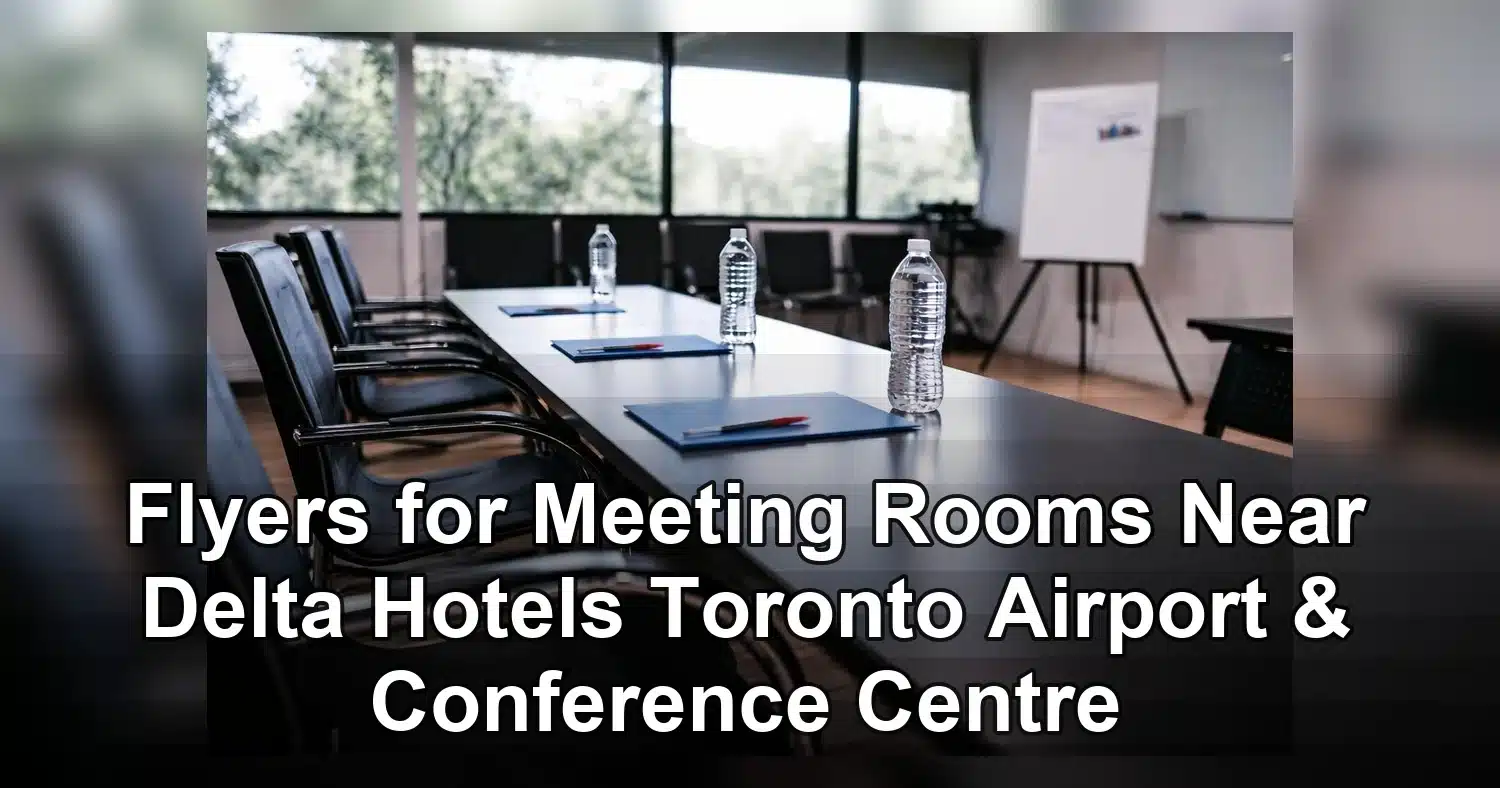
If you need a flyer for meeting rooms near Delta Hotels Toronto Airport & Conference Centre, the best version is usually a fast-reading event handout built for hotel traffic. It should name the venue clearly, highlight one action, and guide attendees with simple wayfinding and a scannable QR code. In a conference setting where people move quickly between sessions, a flyer can do more than promote. It can direct traffic, support exhibitors, remind attendees about room changes, and keep a meeting or activation visible when attention is limited.
Last updated: April 2026
Ready to print flyer printing?
Send your artwork, quantity, and deadline to Branding Centres. We will help confirm specs, turnaround, and the best production option.
This is especially useful in a venue that actively supports meetings and conference bookings, as shown by the Delta Hotels Toronto meeting facilities listing. If you are planning print for registration desks, breakout rooms, sponsor tables, or delegate bags, it helps to choose flyer printing products for events that match your layout, finish, and delivery timeline. The right flyer gives your meeting-room message a clear place to land, which is especially important in an airport hotel where people are already balancing schedules, directions, and check-ins.
Why flyers work so well in hotel conference traffic
A flyer for meeting rooms near Delta Hotels Toronto Airport & Conference Centre works because it meets attendees where decisions are happening. People are usually looking for the next session, the correct room, or the fastest way to follow up after a conversation. A strong flyer supports those moments with just enough information to move someone from curious to informed.
In a hotel conference environment, the best print pieces are the ones that reduce friction. If an attendee can glance at a flyer and immediately understand where to go, when to arrive, and what to do next, the flyer has done its job. That is why event marketers, exhibitors, and organizers still rely on handouts even when digital signage and apps are available. Print remains a practical backup for busy corridors, reception desks, and room entrances.
Where flyers add the most value
- Registration desks: a flyer can reinforce the event agenda, room assignments, or sponsor highlights as guests arrive.
- Breakout rooms: a simple handout can remind attendees about the next session, speaker, or room change.
- Exhibitor tables: sponsors can use flyers to promote demos, giveaways, or follow-up meetings.
- Networking areas: a flyer can help people remember an offer, session topic, or contact detail after a quick conversation.
That usefulness increases when a venue has multiple conference spaces and room configurations, like the ones shown on Delta Hotels Toronto conference facilities listings. In that setting, a flyer helps connect the dots between the attendee, the room, and the action you want them to take.
The strongest handouts are not crowded or clever. They are practical. They help someone get to the correct room, scan a code, book a meeting, or remember a session name before the conversation ends.
What to include on a flyer for meeting rooms near Delta Hotels Toronto Airport & Conference Centre
The most effective flyer for meeting rooms near Delta Hotels Toronto Airport & Conference Centre gives the reader one clear message and one clear next step. If the flyer tries to do too much, it becomes hard to scan and easier to ignore. A better approach is to organize the content in order of importance, starting with the event or session name and ending with a simple call to action.
For on-site conference use, the first question is always the same: what do I need to know right now? The flyer should answer that in seconds.
Essential content hierarchy
- Event, session, or meeting name: make the purpose obvious at first glance.
- Venue and room details: use the full venue name or a recognisable short form, plus the room number or floor if needed.
- Date and time: include this if the flyer supports a scheduled meeting, breakout session, or demo.
- One action: choose a single CTA such as Scan to register, Visit booth 214, or Reserve your follow-up meeting.
That structure keeps the flyer usable in motion. Attendees should be able to pick it up, read it quickly, and act without needing to search for the key details. If your flyer is meant for a room change, add the new location prominently. If it is meant for an exhibitor campaign, make the offer and QR code obvious. If it is meant for broader event promotion, keep the venue name visible enough that people can connect the flyer to the correct place immediately.
For format and print options, it helps to review flyer products before you design the layout. If you are creating a Toronto event piece and want it to feel consistent with other conference print materials, resources like flyers in Toronto can also help you think through size, tone, and readability.
Good venue flyers are specific. They do not ask the reader to guess where to go, what the offer means, or which action matters most.
Best flyer sizes, paper stocks, and finishes for conference handouts
Conference flyers should be easy to carry, easy to read, and durable enough to survive a long event day. The right size and finish depend on where the flyer will be distributed and how much content it needs to carry. A handout for a registration desk may need more room for details, while a flyer intended for room drops or exhibitor tables may work better in a compact format.
| Format | Best use | Typical stock | Finish | Why it works |
|---|---|---|---|---|
| 8.5 x 11 in | Agenda-style handouts, detailed room information, sponsor sheets | 100 lb text or 80 lb cover | Matte | Gives space for schedules, maps, and supporting details while staying easy to annotate |
| 5.5 x 8.5 in | Compact attendee handouts, breakout reminders, room cards | 80 lb text to 100 lb text | Matte or soft-touch | Fits easily into bags and is quick to scan on the move |
| 4 x 9 in | Directional inserts, promo offers, QR-driven calls to action | 100 lb text | Gloss or matte | Narrow layout suits one message and one strong visual |
| 6 x 11 in | Premium handouts, session highlights, sponsor-led pieces | 100 lb cover | Matte | Feels substantial without becoming awkward to carry |
How size affects performance
Larger flyers offer more room for maps, schedules, speaker bios, and room details. That can be useful if your event has several meeting spaces or a complicated floor plan. Smaller flyers are easier to distribute in crowds and work well when the message is simple. If the handout will be passed out at a busy registration desk or carried through the venue all day, a compact size often performs better because it is easier to store and reuse.
A two-sided flyer is often a smart compromise. The front can carry the headline, venue name, and CTA, while the back can hold directions, supporting details, or a short schedule. That gives you extra information without turning the piece into a booklet.
How paper weight changes the feel
Paper stock affects both durability and perception. A lightweight flyer is cheaper and useful in high-volume distribution, but it can bend or wrinkle quickly. A heavier stock feels more polished and tends to hold up better in bags, folders, and pocketed conference materials. For a professional meeting-room handout, 100 lb text is a strong all-purpose choice. If the flyer is intended to feel more premium, 100 lb cover can add presence without becoming too stiff.
Matte versus gloss
Matte is often the safest choice for hotel conference flyers because it reduces glare under bright lobby lighting and makes text easier to scan. A matte finish flyer is a strong option when the handout contains schedules, room details, or directions. Gloss can work well when the design depends on bold imagery, strong color, or a promotional look. In that case, gloss text flyers can help the visuals stand out more strongly across a table or in a welcome area.
For most meeting-room use cases, readability matters more than shine. If someone is walking past your table or holding the flyer while heading to a session, they should be able to read it quickly and understand the next step without re-reading the page.
Design details that improve response on the floor
Print quality matters because the flyer is competing with noise, movement, and short attention spans. If the layout is cluttered or the text is too small, the flyer will not get scanned, saved, or used. The strongest flyers are easy to process in a few seconds, even under the pressure of event traffic.
Make the call to action easy to find
Your CTA should be visible without effort. Place the QR code where the eye naturally lands, often near the lower right area or in a clear central block, and leave enough white space around it for easy scanning. Pair it with a short action line such as Scan to join, Reserve your meeting, or View the agenda. If you include a URL, keep it short enough that someone could type it later without frustration.
Write for scanning, not reading
A flyer for meeting rooms near Delta Hotels Toronto Airport & Conference Centre should be built for fast scanning. Use a strong headline, one supporting sentence, and one action. Avoid long paragraphs, crowded sidebars, and multiple competing offers. If the flyer contains more than one message, use bullets or short subheads so the reader can find what matters without slowing down.
Typography should stay clean and readable. Use dark text on a light background whenever possible, and avoid decorative fonts that become hard to read at small sizes. For event handouts, body copy around 10 to 12 pt is often readable, but key details like room numbers, session times, and booth references should be larger if they need to stand out quickly.
Use hierarchy to guide the eye
Good hierarchy means the reader naturally moves from the headline to the most important detail to the CTA. That structure is especially important for flyers used in hotel conference settings because people are often reading them while walking, standing in line, or carrying other materials. Headings, bold text, and simple bullet points can help break up the content and make the page easier to use.
Images can help, but they should support the message rather than distract from it. If you use photography, choose visuals that reinforce the event atmosphere, meeting space, or brand experience. Avoid image-heavy layouts that make the key details harder to see. In a wayfinding flyer, clarity always matters more than decoration.
Check trim, bleed, and safe zones
Production details affect the final result. Leave enough margin so the content does not feel crowded after trimming, and use standard bleed if the design reaches the edge. Keep critical text away from the trim line so nothing important is cut off. Before approving a print job, check the QR code, room details, contact information, and logo placement carefully. A small file issue can become a large problem once the flyers are delivered to the hotel.
If the flyer will be used in bright lobby areas, matte often wins. If it will be handed out as a promotional piece where color impact matters more, gloss may be the better choice. The correct finish is the one that supports the actual use case, not just the one that looks bold on screen.
Pricing drivers and turnaround planning for event-season orders
Price is usually shaped by quantity, paper stock, finish, color coverage, and turnaround time. A flyer for meeting rooms near Delta Hotels Toronto Airport & Conference Centre can be produced economically if the creative is simple and the order is planned early, but costs rise when the job needs specialty materials, fast delivery, or repeated proofing.
What affects the cost most
Quantity is the first factor. Higher runs usually reduce the unit price, but only if you will actually use the flyers. For meeting-room and conference distribution, the right quantity depends on attendee count, number of sessions, number of handout points, and whether you need backup copies for last-minute changes. Printing too few can cause shortages during the busiest part of the event, while printing too many creates waste.
Paper stock and finish also influence the price. Heavier stock costs more, and specialty finishes can increase the total as well. Full-color artwork on both sides generally requires more production time than a simpler one-sided design. If your piece is image-heavy or uses brand-critical colors, asking for a proof is worth the extra step because it reduces the chance of expensive reprints.
Plan around proofing and delivery
Conference orders should be timed backward from setup day, not from the event date itself. The best plan is to allow time for artwork approval, proof review, printing, and delivery before the venue needs the boxes. If the flyers are going to a Toronto hotel, they should arrive before the first load-in or registration setup window so someone can inspect the count and confirm the condition of the shipment.
That matters because event logistics rarely stay simple. A room assignment can change, a session can move, or a sponsor message can need a quick update. A little time buffer makes those changes easier to manage. It also gives you a chance to catch problems with QR codes, contact details, or room names before the event begins.
Simple budget checklist
- Confirm final quantity before requesting the quote.
- Approve the layout, bleed, and safe zones before production starts.
- Make sure the CTA is final and not likely to change.
- Ask whether proofing is included in the timeline.
- Confirm delivery details, recipient name, and mobile number.
For venue context, the Delta Hotels Toronto meeting-room listing can help you estimate the scale of your handout needs and match the flyer run to the meeting footprint.
Common mistakes that reduce flyer performance
The most common problem is trying to make the flyer do too much. When a handout includes too many offers, too much copy, or too many visual styles, it becomes harder to use. The flyer should guide the reader, not ask them to decode a mini brochure in the middle of a conference day.
Too many messages
Multiple CTAs weaken response. If the flyer tells people to scan a QR code, call a phone number, visit a website, and attend a demo, it loses focus. Choose one primary action and let every other element support that action. That usually leads to better engagement and fewer missed opportunities.
Generic messaging
A flyer that could be used anywhere often performs poorly at a specific venue. The handout should feel relevant to the event context and the audience using it. In an airport hotel conference setting, the message should connect to meetings, sessions, exhibitors, or follow-up conversations. It should not read like a generic advertisement that ignores the environment.
Unreadable type and weak contrast
Small type and low-contrast design create friction. If the flyer cannot be read from arm’s length, it will not work well in a busy hallway or meeting room entrance. Use enough space around key details, keep the font legible, and avoid placing important text over busy images unless the contrast is strong.
Underprinting
Many teams print too few copies and run out before the event reaches its busiest point. That creates uneven distribution and limits lead capture. If the flyer will be used by several staff members, placed in multiple rooms, or handed out at a sponsor table, add a safety margin so the supply holds through the whole event.
How to order event-ready flyers from concept to delivery
The easiest way to produce a flyer for meeting rooms near Delta Hotels Toronto Airport & Conference Centre is to build the order around a clean brief, a fast proof, and a delivery window that fits the venue schedule. Once those pieces are set, the rest of the process becomes much smoother.
1. Lock the brief first
Before design begins, confirm the event date, the handout location, the quantity, the intended audience, and the exact action you want the reader to take. This is the point where you decide whether the flyer is meant for room navigation, sponsor promotion, attendee reminders, or lead capture. The more specific the brief, the more effective the finished piece will be.
2. Choose the format that matches the job
If the flyer will be used in mixed lighting or carried around all day, a matte finish is often the most practical choice. If it is meant to draw attention through color, imagery, or promotional energy, gloss may be more appropriate. If you are still comparing options, reviewing flyer product options can help you narrow the size and stock before you upload artwork.
3. Prepare the file carefully
Use a print-ready PDF whenever possible. Make sure images are high resolution, colors are set appropriately for print, and fonts are embedded or outlined if required by the production workflow. If the file is not final, ask for a proof and review the dates, room details, QR code, and logo placement before approving anything.
4. Confirm delivery timing and location
For conference use, delivery instructions matter as much as the artwork. Include the venue or contact name, the phone number of the person receiving the order, and the exact destination for the boxes. If the flyers need to be on-site before exhibitor setup or guest arrival, build in extra time so there is room for inspection and any last-minute adjustments.
If you are comparing finishes, matte finish flyers work well for information-heavy pieces, while gloss text flyers are useful when strong imagery is part of the message. For most meeting-room handouts, though, the best result comes from a simple layout, a clear CTA, and a format that is easy to read in real conference conditions.
Before you place the order, check the room name, final copy, and quantity one more time. Then choose the size and finish that best match the distribution point, approve the proof quickly, and schedule delivery before setup day. A well-planned flyer can make a meeting room easier to find, a session easier to remember, and a follow-up action much easier to complete.
Related Products and Services
If you are planning a similar project, these related options may help.
Helpful External Resources
These sources provide supporting background and additional context.
- Delta Hotels Toronto
What flyer size works best for meeting rooms at Delta Hotels Toronto Airport & Conference Centre?
It depends on how much information you need to show. A 4 x 9 in flyer is useful for simple directional messages or QR-based offers, 5.5 x 8.5 in works well for compact handouts, and 8.5 x 11 in is better for schedules, room maps, or detailed session information. If the flyer will be carried around the venue, smaller sizes are usually easier to manage.
Should event flyers use matte or gloss finish?
Matte is usually the better choice for conference handouts because it reduces glare and keeps text easy to read under bright hotel lighting. Gloss can work well if the flyer depends on bold photography, strong color, or a more promotional look. For meeting-room use, readability should come first.
How far in advance should I print flyers before a conference or trade show?
It is best to order at least 1 to 2 weeks ahead when possible. That gives time for design review, proofing, production, and delivery before the event. If you need a larger quantity or a custom finish, allow extra time so you do not have to rely on rush printing.
What information should a flyer include for exhibitors and organizers?
Include the event or session name, the venue name, the room or booth number, the date and time if relevant, one clear call to action, and a QR code or short URL. If the flyer is being used as a flyer for meeting rooms near delta hotels toronto airport & conference centre, add room directions or a simple floor reference so people can find the space quickly.
What file prep is best for printing meeting room flyers?
Use a print-ready PDF with high-resolution images, CMYK color, and bleed if the artwork reaches the edge. Keep important text inside safe margins, embed your fonts when possible, and check that all QR codes scan correctly before approving the file.
Get a Free Quote Today
Contact us at +1-(416) 288-8661 or Email us at info@Brandingcentres.com and let's get started.