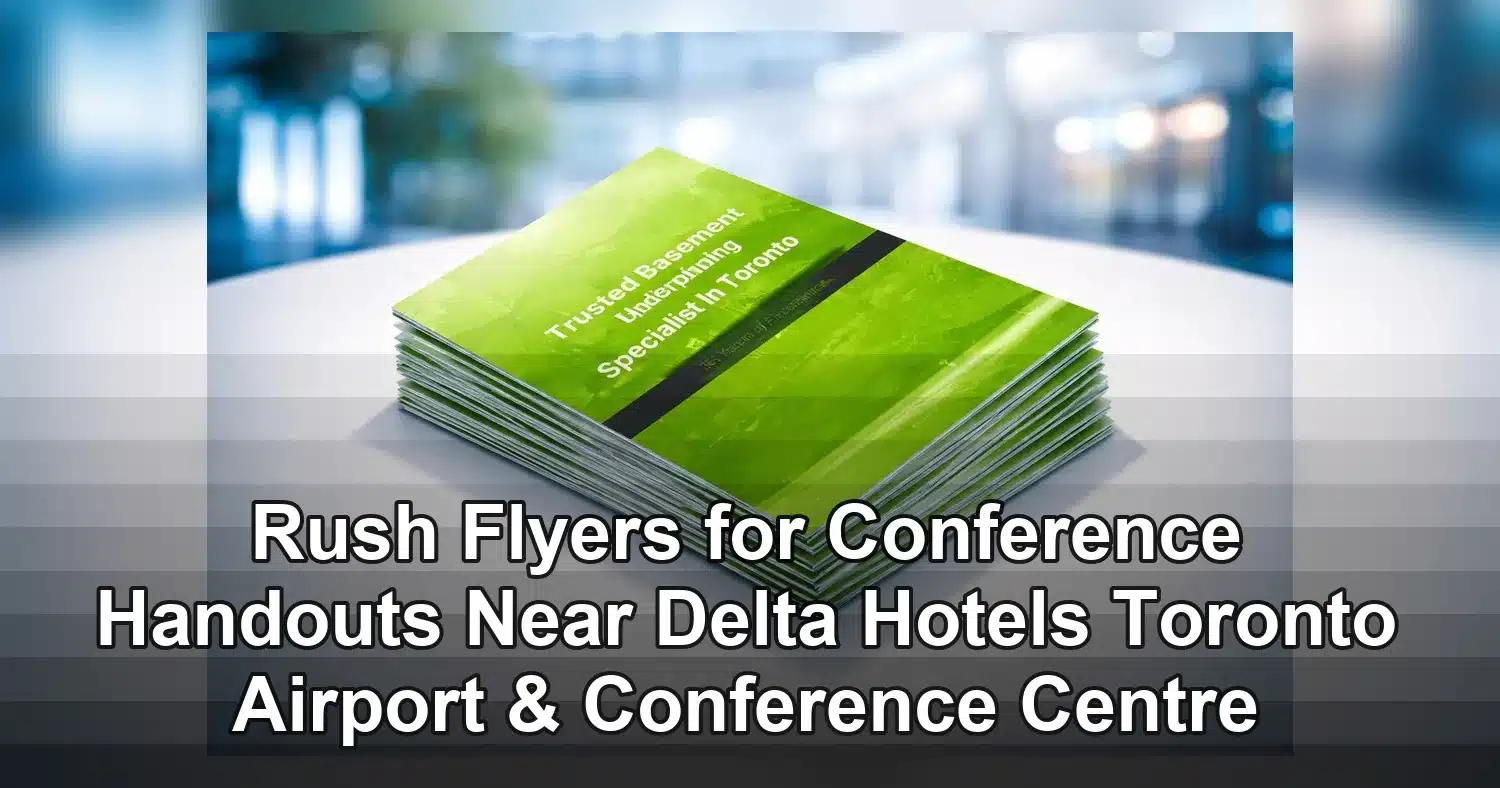
If you need rush flyers for conference handouts near Delta Hotels Toronto Airport & Conference Centre, the fastest path is to make the order simple before the artwork is sent. Choose the flyer size, paper stock, quantity, and pickup or delivery plan first, then submit a print-ready file that does not need extra revisions. For conference teams, exhibitors, and sponsors working around the Toronto airport corridor, speed usually depends less on the press and more on how quickly the file can be approved.
Last updated: April 2026
Ready to print flyer printing?
Send your artwork, quantity, and deadline to Branding Centres. We will help confirm specs, turnaround, and the best production option.
This guide focuses on the choices that matter most when time is tight: which flyer format works best for conference use, what can realistically be produced on a rush schedule, which specs affect cost, and how to avoid delays at the hotel, registration desk, or exhibit floor. If your handout must be useful on arrival, the most effective approach is to keep the layout clear, the message short, and the production plan realistic.
Rush flyers for conference handouts near Delta Hotels Toronto Airport & Conference Centre: what to decide first
The best rush order starts with one question: what do attendees need to do after reading the flyer? If the answer is visit a booth, scan a QR code, attend a session, or request a follow-up, then the flyer should be built around that one action. A clean handout is easier to print quickly and easier for delegates to use.
For most conference handouts, the first decision is size. Letter size, 8.5 x 11, gives you the most space for schedules, speaker details, maps, and sponsor messaging. Half-letter, 5.5 x 8.5, is easier to carry in tote bags and delegate packets. A narrow format such as 4 x 9 works well for short promos, room drops, or booth takeaways when the message is brief and direct.
After size, decide whether the flyer should be single-sided or double-sided. Single-sided jobs are usually faster to review and simpler to distribute. Double-sided flyers are better when you need extra room for a schedule, offer, or event details, but they also leave less margin for clutter. In rush work, fewer design decisions usually mean fewer delays.
Quantity is another important factor. It is better to order a count that matches actual use than to overprint and carry unused extras. For hotel conferences, many teams split flyers across registration, speaker packages, sponsor tables, and exhibitor booths, then keep a small buffer for walk-ins or replacements. If you know the event will be busy, add a modest overage rather than starting over with a second print run.
Finish should be chosen early as well. A matte finish is often best for handouts that people may read under bright lighting or write on during the event. A gloss finish can make photos and brand colours stand out more, which helps for product launches and visually driven promotions. The right choice depends on how the flyer will be used, not just how it looks in a proof.
For teams ordering rush flyers for conference handouts near Delta Hotels Toronto Airport & Conference Centre, the practical sequence is simple: confirm size, confirm quantity, confirm one-sided or double-sided, then approve the artwork. That order keeps production moving and avoids last-minute changes that can push the job past the event window.
What can realistically be produced in a rush near airport hotels
Rush printing is possible, but only when the files are ready. Same-day or next-day turnaround is often realistic for basic flyers, especially if the artwork arrives as a print-ready PDF with correct dimensions, bleed, and fonts already embedded. If the file still needs layout corrections, image replacement, or copy changes, the timeline can move fast in the wrong direction.
Near airport hotels, the most common delay is not print capacity. It is the handoff between file submission, proof approval, payment, and the final pickup or delivery plan. If those steps are clear before production begins, a straightforward flyer can usually move through the system much faster.
A reliable rush workflow for event flyer printing near airport hotels looks like this:
- Send the final PDF as early in the day as possible.
- Approve the proof quickly and avoid unnecessary edits.
- Confirm pickup or delivery details before printing starts.
- Provide one contact number in case the driver or print team needs access instructions.
If the flyer includes a QR code, test it before sending the file. A broken link or incorrect destination can cost more time than a layout revision. If the piece includes a phone number, room number, or booth number, check those details carefully too. In rush work, one small correction can restart the proof cycle.
For next-day orders, there is usually a bit more flexibility with stock and quantity, but the schedule can still be tight if the event starts early or if the hotel corridor is busy with arrivals. When possible, build a pickup window instead of a narrow exact time. That gives both the printer and the event team more room to adjust if traffic or setup delays occur.
The most practical assumption is this: if your flyer is already formatted correctly and your decision-maker is available, rush production is far more likely to stay on schedule. If approvals are still moving through several people, the order can slow down even when the actual print job is simple.
Flyer sizes, stocks, and finishes that work best for conference handouts
The best flyer is usually the one that matches the job, not the one with the most design effects. Conference handouts need to be easy to read, easy to carry, and easy to distribute. That makes the choice of size and paper stock just as important as the layout itself.
Use this comparison to narrow your options before approving artwork:
| Option | Best use | Pros | Considerations |
|---|---|---|---|
| 8.5 x 11 | Agenda sheets, sponsor briefs, detailed handouts | Most room for copy, graphics, and QR codes | Less compact for tote bags and booth stacks |
| 5.5 x 8.5 | General conference flyer, seminar summary, program promo | Balanced size, easy to hold and stack | Less room for dense content than letter size |
| 4 x 9 | Short offer, room drop, booth takeaway | Compact and economical for quick distribution | Works best with one message and limited text |
| Single-sided | Simple announcements, registration inserts, giveaway sheets | Fast to read and often faster to produce | Limited space for details and schedules |
| Double-sided | Speaker bios, maps, offers, event instructions | More room without increasing sheet count | Needs tighter layout control to stay readable |
| 100 lb text matte or gloss | Premium handouts and branded event marketing | Feels substantial and prints cleanly | Higher perceived cost than lighter stocks |
If the flyer will be handled a lot, passed from person to person, or marked up with notes, matte is usually the safer choice. It reduces glare and makes text easier to read under conference hall lighting. If the piece is image-led and intended to create visual impact, gloss can help colour and photography pop. Either way, the paper choice should support the purpose of the handout rather than distract from it.
For last-minute orders, it often helps to keep the stock choice conservative. A standard stock with a clean finish is usually faster to approve and more dependable to distribute. If your team needs a more premium feel, it is better to request that upfront than to add embellishment after the deadline is already tight.
A useful rule of thumb is simple: choose letter size for information-heavy flyers, choose half-letter for portable handouts, and choose a layout that can be read in a few seconds. That keeps rush flyer printing for conferences efficient and makes the handout more useful for attendees.
What changes cost in rush flyer printing for conferences
When ordering rush flyers for conference handouts near Delta Hotels Toronto Airport & Conference Centre, the biggest cost drivers are usually quantity, colour coverage, stock, and the speed of production. Understanding those variables makes it easier to stay on budget without sacrificing the deadline.
Quantity and run length
Small runs are often the easiest to move through quickly, especially for welcome desks, speaker kits, or exhibitor tables. The per-piece cost can be higher because setup time is spread across fewer copies, but the order is easier to control. Larger runs usually improve unit pricing, but they can take longer to print and finish, especially if the event needs sorting or packaging by location.
Colour coverage and layout density
A flyer with a light layout and one strong image will usually be easier to process than a full-bleed design with heavy photography and dense backgrounds. Large ink coverage can add handling time and affect drying. If you want to keep the job efficient, use one clear hero image, concise copy, and enough white space to make the design easy to scan.
Paper stock and finish
Heavier stocks feel more premium, but they can also increase cost and sometimes require more time if the schedule is tight. Matte finishes are popular for event handouts because they are readable and practical. Gloss finishes are attractive for brand-heavy pieces, especially when imagery matters more than note-taking. The choice should reflect how the flyer will be used during the conference.
Production timing
Same-day and next-day production often require priority handling. That can include proof checks, press scheduling, and reduced finishing options. The simpler the file, the easier it is to stay within the rush window. In most cases, speed comes from reducing complexity before the job enters production, not from trying to add more features at the last minute.
If budget is a concern, the fastest way to protect it is to lock your choices early. Avoid comparing several versions once the deadline is close. Every extra revision adds time and can increase the chance of a missed handoff.
Design choices that make conference flyers more useful
The best conference flyer is easy to understand in a few seconds. People in and around the Delta Hotels Toronto Airport & Conference Centre area are often moving quickly between sessions, meals, meetings, and booth visits, so the handout has to communicate fast.
Lead with the main takeaway
Put the event name, offer, session title, or room location at the top in a clear, readable headline. If the flyer is for a session, the title should immediately tell the attendee why it matters. If it is for a booth or sponsor promotion, the benefit should be obvious at a glance.
Keep the copy short and structured
Use short paragraphs, bullets, and spacing that allow the eye to move quickly. A flyer is not a brochure. If the piece is crowded with long paragraphs, it becomes harder to read and less effective as a handout. Save the deep detail for a landing page or follow-up email, and let the flyer do the first job well.
Make the QR code simple to scan
A QR code should have one purpose only, such as registration, agenda access, speaker information, or exhibitor details. Place it where readers naturally look and leave enough open space around it for scanning. Add a short label beside it so people know what they will get when they scan.
Use logos and sponsor marks with restraint
Logos should support the layout, not overwhelm it. Group sponsor marks in a dedicated area, usually near the bottom of the flyer, so the main message stays dominant. If there are many partners, use a clean grid and avoid making one logo much larger than the rest unless there is a clear hierarchy.
Add utility where it helps
For conference handouts, practical details can be more valuable than extra marketing language. A small map, a room number, a timing note, or a simple agenda line can make the flyer more useful. If the piece will be handed out at the registration desk, keep those utility details large and easy to find.
End with one clear action
Choose one call to action, not three. Ask the reader to visit a booth, scan a code, attend a session, or follow up after the event. Repeating one clear action makes the flyer stronger and more memorable than trying to include every possible next step.
Common mistakes that slow down rush conference handouts
The biggest problems in rush work are usually file issues and last-minute changes. Around the Toronto airport hotel corridor, where event schedules can move quickly, those mistakes can delay the job even when the printer is ready to produce it.
Sending low-resolution images
Images that look fine on screen may print poorly if they are too small or too compressed. Blurry photos, stretched logos, and pixelated screenshots can reduce the quality of the flyer and create extra proofing time. For a conference handout, every image should be sharp enough to hold up in print.
Skipping bleed and safe margins
If a flyer extends to the edge, it needs bleed so that trimming does not leave white lines around the border. Important text and logos also need enough room from the edge so they are not cut off. This matters even more when the turnaround is fast and there is less time to catch layout problems.
Trying to fit too much on one page
When organizers try to include schedules, sponsor blurbs, directions, registration instructions, and contact details all at once, the flyer becomes crowded and harder to use. A clean handout should help the reader act quickly. If there is too much content, simplify the piece or move supporting details to a separate page or digital link.
Ordering the wrong count
It is common to underestimate how many copies are needed for registration, sponsor tables, breakout sessions, and replacements. If the flyer will be distributed in several places, tell the printer how the quantity will be used. That makes it easier to package the order correctly and avoid sorting delays later.
Changing details after approval
Once the proof is approved, small updates can still cause a restart. A new phone number, updated room assignment, changed URL, or revised sponsor logo may push the job back into review. For event flyer printing near airport hotels, that can be enough to miss the delivery window. Lock the information before submitting whenever possible.
Another common issue is assuming that all rush jobs are equally simple. A clean, final PDF can move quickly. A file that still needs editing usually cannot. The more complete the file is when it arrives, the faster the order can move from approval to production.
A practical ordering checklist for last-minute conference handouts
The fastest rush flyer orders are the ones that remove uncertainty before the file is submitted. If you are ordering rush flyers for conference handouts near Delta Hotels Toronto Airport & Conference Centre, the best approach is to confirm the essentials first and send the artwork only when the specs are locked.
Lock the print spec before uploading files
- Size: 8.5 x 11 for information-heavy handouts, 5.5 x 8.5 for compact inserts, or 4 x 9 for short promotional pieces.
- Side count: single-sided for speed and simplicity, double-sided only if the extra space is necessary.
- Stock and finish: matte for readability and note-taking, gloss for stronger visual impact.
- Quantity: confirm the main run and add a modest buffer for VIPs, late arrivals, or damaged copies.
Confirm approvals and pickup timing before production starts
Name the person who can give final approval, and make sure that person is reachable during proofing. Confirm whether the order will be picked up or delivered, and share the exact handoff location if it is going to the hotel or nearby venue. In a busy conference corridor, clear timing matters just as much as the artwork itself.
Buyer-ready checklist for last-minute conference handouts
- Final trimmed size confirmed.
- Single-sided or double-sided layout confirmed.
- Paper stock and finish confirmed.
- Exact quantity approved, plus a small backup amount.
- Print-ready PDF supplied in CMYK with bleed and safe margins.
- Final approver named with a mobile number.
- Proof method confirmed and ready for quick signoff.
- Pickup or delivery time confirmed.
- Packaging instructions noted if flyers need to be split by booth, session, or desk.
- Backup file saved in case a correction is needed.
Before placing the order, make sure your team agrees on the final count, finished size, and handoff time. That simple step reduces back-and-forth and helps the job move on schedule. If the deadline is especially tight, send the most complete file you have and request confirmation based on the time the handouts must be in hand, not just the time the order was submitted.
With a clear plan, rush flyer printing for conferences becomes far more predictable. The goal is not just speed. The goal is to have flyers that arrive on time, look professional, and help attendees act quickly during the event.
Related Products and Services
If you are planning a similar project, these related options may help.
How fast can rush flyers for conference handouts near Delta Hotels Toronto Airport & Conference Centre be printed?
Same-day or next-day turnaround is often possible if the file is print-ready, the quantity is reasonable, and the proof is approved quickly. The fastest jobs are usually simple flyers with no layout corrections, no missing images, and no last-minute copy changes.
What flyer size works best for conference handouts?
8.5 x 11 is best for detailed handouts, schedules, and sponsor pieces. 5.5 x 8.5 works well for compact delegate packets and booth handouts. If the message is short, 4 x 9 can be a strong choice for quick distribution.
What file specs should I use for rush flyer printing for conferences?
Send a print-ready PDF in CMYK with 300 DPI images, bleed on all sides, and safe margins around text and logos. Fonts should be embedded or outlined, and QR codes should be tested before the file is submitted.
What affects pricing for event flyer printing near airport hotels?
Pricing usually depends on size, quantity, stock, finish, colour coverage, and how quickly the job must be produced. Rush service can increase cost because it reduces production flexibility and may require priority scheduling.
Can I order conference handout flyers close to Delta Hotels Toronto Airport & Conference Centre?
Yes, many rush print orders can be arranged close to the event date if the artwork is ready and the delivery or pickup plan is clear. To save time, confirm the specs early, approve the proof quickly, and keep one contact person available for questions.
Get a Free Quote Today
Contact us at +1-(416) 288-8661 or Email us at info@Brandingcentres.com and let's get started.