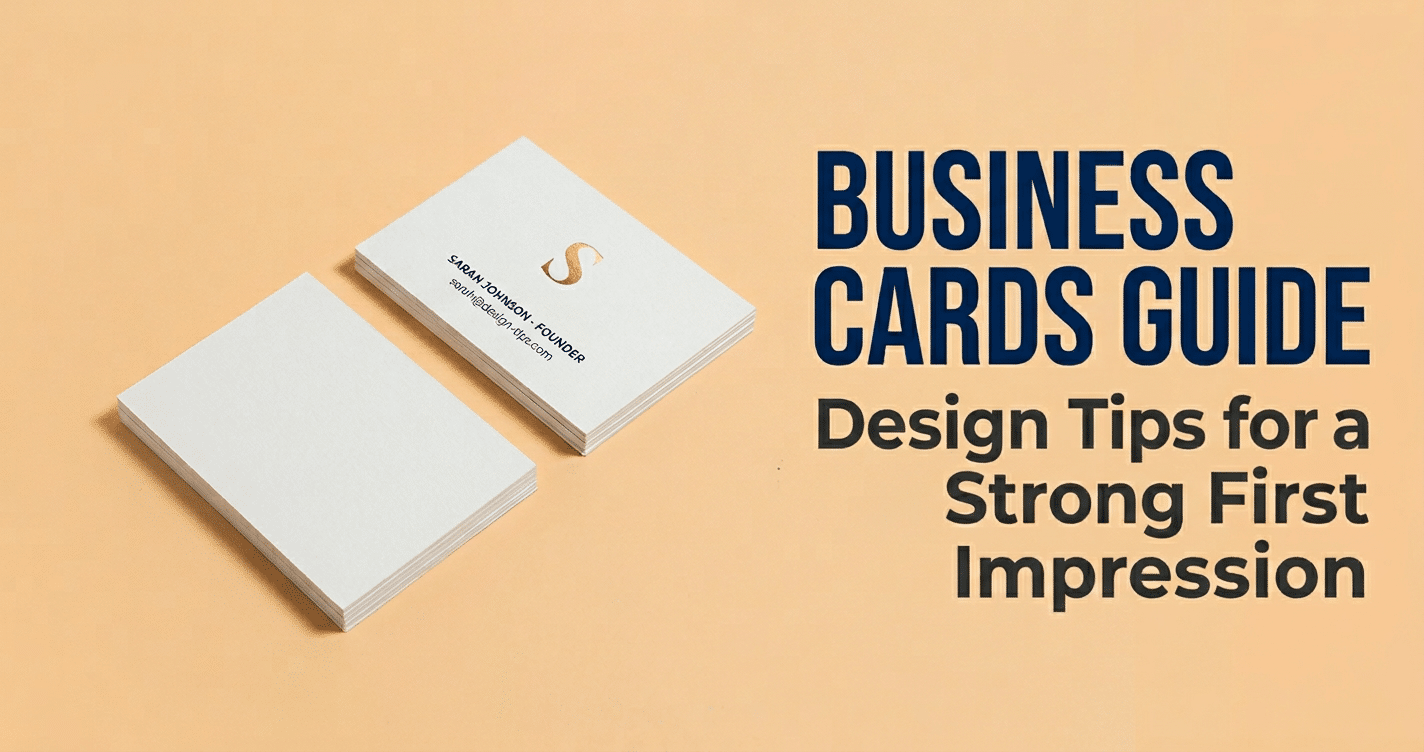
A strong Business Cards Guide starts with a simple goal: help a small business owner look credible, memorable, and easy to contact in a matter of seconds. The best cards do not rely on decoration alone. They use clear branding, readable details, the right paper stock, and print specs that avoid costly mistakes. When someone receives your card after a meeting, event, or local introduction, it should tell them who you are, what you do, and how to reach you without effort.
Last updated: April 2026

This guide covers the decisions that matter most, including layout, information hierarchy, paper finishes, and file preparation. If you want a clean benchmark for everyday professional use, start by comparing matte finish business cards. If you are looking for a low-cost format that still feels polished, a best value business card can be the right starting point. The goal is not to overcomplicate the card. The goal is to make every square inch earn its place.
Business Cards Guide: Start With the Job Your Card Must Do
The fastest way to improve a card is to decide what it must accomplish before you open a design file. Some cards are meant to start conversations. Others are meant to drive calls, bookings, website visits, or follow-up messages. A card that tries to do everything usually ends up doing nothing well.
Define the audience first
Think about the person who will hold the card. A contractor, a consultant, a salon owner, and a cafe owner will not all need the same tone or details. Someone meeting local homeowners may need a more direct, trust-building message. A designer or creative studio may want a more visual card that reflects style and originality. The audience shapes the wording, layout, and finish.
Choose one clear next step
Every card should lead to one obvious action. That action might be calling, emailing, booking online, scanning a QR code, or visiting a portfolio. If phone calls matter most, make the phone number highly visible. If appointments matter most, highlight the booking URL or QR code. If the card is mainly for networking, keep the message short so the recipient remembers your name and category quickly.
Match the card to your sales process
Business cards are part of your Business Branding and Marketing, not just a printed accessory. A premium service business may need a card that feels refined and substantial. A trades business may need a practical card that fits a wallet, resists wear, and can even handle a handwritten note. If your cards will be handed out at events, left at counters, or stored in folders, the card has to suit that real-world use.
That is why a best value business card can be a smart choice for frequent distribution, while a matte finish business card often works better when the goal is a clean and professional first impression. The right format depends on how often you hand them out and what you want people to do next.
A useful rule from good card design practice is to keep the message focused and resist filling the card with every possible detail. That advice becomes even more important when the card has to work in a real conversation, where a person only looks at it for a few seconds before putting it away.
Build a Layout That Matches Your Brand and Industry
A clear layout makes the card feel credible immediately. The best designs are not crowded. They are organized so the viewer can understand the brand, name, and contact details without searching.
Choose the right orientation
Landscape is still the most familiar format and works well for accounting, law, finance, construction, and other traditional industries. Portrait can feel more modern and can suit creative businesses, boutique brands, beauty services, and lifestyle companies. Choose the format that supports the content, not just the one that looks different.
Place the logo with restraint
Your logo should support the card, not compete with it. In many layouts, the logo works best in the upper area or on the back side, leaving enough room for the name and contact details to breathe. If the logo has fine lines or small text, simplify its placement so it remains readable at business-card size. A logo that looks good on a website banner may need more space on a small print piece.
Use white space to create authority
White space is not empty space. It gives the eye a place to rest and helps the important details stand out. Crowded cards often look cheaper because the viewer has to work harder to find the useful information. A balanced layout also feels more premium in the hand, which matters when the card is used for networking, referrals, or introductions.
Use QR codes only when they add value
A QR code is useful when it takes the recipient directly to a booking page, portfolio, review request, or contact form. It should not replace the basics. Keep the code large enough to scan easily and position it so it does not interfere with the logo or main contact block. If your audience is unlikely to scan, do not make the QR code the centerpiece.
Industry also affects the design language. A law firm or financial advisor usually benefits from restrained color, sharp alignment, and a formal typeface. A cafe, florist, or creative studio can use more expressive branding, but the structure still needs to be clear. If your business wants a tactile, writable surface for notes or reminders, enviro uncoated writable business cards are a practical option. If you want a more earthy, handcrafted impression, kraft paper business cards can reinforce a natural or eco-conscious brand.
Make Contact Details Readable in Three Seconds
Readers should be able to identify the best contact method almost instantly. If someone has to hunt for your phone number or email, the card is not doing its job.
Use a clear hierarchy
Start with the item that matters most, usually the business name, personal name, and job title. Then place the primary contact method in a logical order, such as phone, email, website, and address if needed. The eye should move naturally from identity to action. If everything is emphasized equally, nothing stands out.
Choose font sizes that can be read comfortably
Small type is one of the most common business card mistakes. Keep contact details large enough to read at arm’s length and avoid squeezing extra lines onto the card just to fit more information. A clean sans serif font often works well for contact information because it stays legible at small sizes. If you want a more distinctive font, use it for the name or headline, not the details people need to use.
Prioritize contrast
Dark text on a light background is usually the safest choice because it remains readable in different lighting conditions. Light text on a dark background can look premium, but only when the print quality is strong and the text size is large enough. If the contrast is too weak, the card may look stylish on screen and fail in the hand.
Give every detail room to breathe
Spacing helps each piece of information do its job. Separate the phone, email, and website into distinct lines or short groups so the eye can process them quickly. Avoid piling too many icons beside each item unless they truly help. When a card includes both a personal name and business information, spacing should make the relationship clear without confusion.
If the card is meant to be written on, extra space matters even more. A writable stock such as enviro uncoated writable business cards is useful for appointment reminders, referral notes, discount codes, or quick follow-up details because it allows pen marks to stay legible without smudging.
A simple test is to hand the card to someone and ask them to find the best way to contact you within three seconds. If they pause, the hierarchy needs work. Usually that means reducing text, increasing size, or improving contrast.
Compare Paper Stocks and Finishes Before You Order
Paper choice affects how the card feels, how it wears, and how people judge your brand before they read a word. In any Business Cards Guide, stock and finish deserve as much attention as the design itself.
If you want a versatile choice, matte business cards are a strong default. They feel smooth, reduce glare, and print cleanly. Gloss can make colors appear brighter and more saturated, but it can also reflect light and make handwriting harder. Kraft paper gives a natural and tactile look that suits eco-minded businesses, artisan products, and local brands. Writable stocks are a practical choice for appointment cards, loyalty cards, or reminders. Premium thick stocks help a card feel substantial and established the moment it is handed over.
| Stock / Finish | Feel | Durability | Best Use | Brand Image |
|---|---|---|---|---|
| Matte | Smooth, low glare | Good | Professional services, everyday networking | Clean, modern, balanced |
| Gloss | Shiny, slick | Good | Photography, retail, bold branding | Bright, energetic, attention-grabbing |
| Kraft | Natural, textured | Moderate | Eco brands, handmade goods, cafes | Organic, rustic, authentic |
| Writable / Uncoated | Dry, pen-friendly | Moderate | Appointment cards, coupons, notes | Practical, service-focused |
| Premium / Thick Stock | Substantial, heavy | High | Luxury, consultants, high-end services | Confident, upscale, memorable |
If you need a card that can handle notes, writable business cards are especially useful because they support pen ink without excessive smudging. If budget is the main concern, a simpler stock may be enough. But if the card is part of your Business Branding, a better finish can improve perceived value more than extra graphics or decorative effects.
It also helps to match the finish to the message. Matte suggests calm professionalism and easy readability. Gloss suggests energy and shine. Kraft suggests authenticity and a handmade feel. That alignment makes the card feel intentional rather than generic.
Check Print Specs That Protect Your File and Budget
The safest print file is one prepared with production specs in mind from the beginning. That reduces the risk of trimming mistakes, blurry graphics, and color changes that lead to reprints.
Start with bleed and safe area. Bleed gives the printer extra artwork to trim from the edge, while the safe area keeps text and logos away from the cut line. For most business cards, use 0.125 inch bleed on every side and keep important elements at least 0.125 inch inside the trim edge. If your design touches the edge but does not include proper bleed, thin white lines can appear after cutting.
Specs to confirm before upload
- Resolution: Use 300 DPI for text, logos, and images.
- Color mode: Convert files to CMYK to reduce color shifts in print.
- Double-sided layout: Check that both sides are balanced and that nothing important gets lost in the back design.
- Proofing: Review a PDF proof or hard proof before approving the full run.
- Turnaround timing: Allow time for proof changes, production, and shipping.
One common mistake is designing a card that looks fine on a monitor but prints too dark or too busy. Another is placing text too close to the edge, where trimming can make alignment look uneven. If your team needs multiple versions for staff or locations, proof one master file first so corrections do not create extra costs later.
A reliable printer will often catch bleed, resolution, or safe-area issues, but you should still review the file yourself. That is especially important if you are working against a launch date or event deadline. Print setup standards like these are emphasized in many card design rules because they protect both quality and budget.
Understand the Cost Drivers That Change Your Quote
Your quote is shaped by more than quantity alone. The main price drivers are stock, finish, ink coverage, and turnaround speed.
Quantity usually has the biggest effect on per-card cost. Larger runs spread setup costs across more pieces, which lowers the unit price. Stock weight matters too. Thicker or more premium paper feels better, but it costs more to produce and may require more careful handling. A standard run on a simpler stock is usually the most affordable option for general networking.
Common pricing drivers to watch
- Finish: Matte, gloss, soft-touch, foil, embossing, and spot UV all add different levels of cost.
- Color coverage: Full-bleed artwork and heavy ink coverage can raise production cost.
- Special effects: Rounded corners, foil stamping, raised ink, and die-cuts often add setup fees.
- Shipping: Expedited or tracked delivery increases the total, especially for small orders.
- Rush orders: Faster production usually means higher pricing and less flexibility for changes.
If you need a simple and cost-conscious option, best value business cards can keep the quote manageable without sacrificing a professional appearance. If the card is part of a premium sales process, spending more on stock or finish may be worthwhile because the card itself becomes part of the customer experience.
Ask for a quote that separates print setup, finishing, shipping, and rush fees. That makes it much easier to compare printers fairly and avoids surprises that can distort your Marketing budget.
Avoid the Small Design Errors That Make Cards Feel Cheap
The biggest problems with business cards are often small. Crowding, weak contrast, outdated details, and flimsy stock can all make a card feel rushed even if the concept is good.
Crowded layouts reduce perceived value
A card packed with a logo, tagline, website, email, mobile number, office number, QR code, and several social icons often feels cluttered instead of useful. Most small businesses only need a name, title, one main phone number, one email address, a website, and a clear action.
- Keep white space around the logo and text blocks.
- Limit yourself to one or two fonts.
- Use hierarchy so the eye lands on the name first.
- Remove anything that does not help a customer contact you or remember you.
Low contrast and tiny type hurt readability
Light gray text on white, thin script fonts, and very small type are common reasons cards get ignored. Readability is not a luxury. It is a basic requirement because the card only has a few seconds to do its job. If a person cannot find the important detail immediately, the card loses value.
- Use dark text on a light background for core details whenever possible.
- Avoid reversing tiny text out of a solid background.
- Test the card at arm’s length before approving the file.
Outdated details create doubt
An old logo, a retired phone number, a personal email address from years ago, or mismatched colors can make a business look neglected. That can reduce trust, especially for local service businesses where customers compare several options quickly. Before printing, confirm that your logo, colors, website URL, email domain, and social handles match the rest of your brand.
Weak stock can undermine good design
Even a beautiful design can feel cheaper if the stock bends too easily or does not hold up in a wallet or pocket. If budget is tight, do not rely on fancy graphics to hide a flimsy base. Instead, choose a cleaner layout and a dependable stock such as 14pt or 16pt matte finish business cards or straightforward best value business cards that still feel solid in the hand.
- Avoid paper that feels too fragile for repeated handling.
- Match the finish to the brand message, since matte is easier to read and gloss is more reflective.
- Order a small test batch if you are changing stock, finish, or color palette.
Final Business Cards Guide Checklist
Before you print, make sure the card has one clear purpose, a layout that supports fast reading, and a finish that suits the business. Confirm that the contact details are current, the logo is legible, and the print file meets the right specs. If the card will be written on, choose a stock that supports that use. If the card is mainly for premium branding, choose a finish that helps it feel polished and memorable. The best business cards are not busy. They are clear, confident, and easy to act on.
If you want a card that makes a strong first impression, start with the basics that matter most: define the job it needs to do, keep the layout uncluttered, make contact details readable at a glance, and match the paper and finish to the way you sell. Proof the file carefully, compare costs based on stock and quantity, and choose the format that fits how you meet customers day to day.
Related Products and Services
If you are planning a similar project, these related options may help.
Helpful External Resources
These sources provide supporting background and additional context.
What size should a standard business card be?
The standard U.S. size is 3.5 x 2 inches, which fits most wallets and card holders. In a Business Cards Guide, that is usually the safest starting point because it is familiar, practical, and easy to print.
What paper thickness looks most professional for small businesses?
For many small businesses, 14 pt to 16 pt feels professional and sturdy. If you want a more premium impression, 16 pt or thicker usually feels more substantial in the hand.
Should I choose matte or glossy business cards?
Choose matte if you want a clean, modern look that is easy to read and often easier to write on. Choose gloss if you want colors to pop and images to look brighter. For most service businesses, matte is the safer choice.
How many business cards should I order first?
A first order of 250 is a practical starting point for many small businesses. If you attend frequent events or hand cards out daily, 500 may be better value. If you are testing a new design, start smaller so you can revise it later.
Are QR codes worth adding to a business card?
They can be, if the code sends people directly to something useful like a booking page, portfolio, or contact form. If the audience is unlikely to scan, keep the QR code optional rather than making it the main feature.
Get a Free Quote Today
Contact us at +1-(416) 288-8661 or Email us at info@Brandingcentres.com and let's get started.